






06 Jun How To Track Your Geek Fandom Collection | Free Tracker Inside!
Before I became obsessed with collecting the POPs of all my children in My Hero Academia, my Funko POP collection started with Star Wars. I especially go all cartoon-eyes for Anakin, Vader, and Ahsoka; so when I saw the Padawan Ahsoka Pop in our local 2nd & Charles, I grabbed it without thinking and sprinted to the register to make her mine. She just spoke to me and I couldn’t wait to get her home and add her to her other Ahsoka collectibles. I made a bee-line for my bookshelf as soon as hubs put the car in park – only to discover that I already had that same exact Padawan POP.
Long drawn out sigh.
What was I going to do? Return it? No – of course I kept it. Turns out, Ashley Eckstein came to FanEx in Atlanta and I got to meet her and have her sign one of the duplicate Padawan POPs. Bingo! Now I have a signed version in a case, and an unsigned version sitting with her.. selves…lol on my shelf.
Still. Even though it worked out that time, I don’t want to keep accidentally buying duplicates of my collections. Fandom money does not grow on trees. So let’s talk about duplicates and how to avoid buying duplicates of your collectibles.
This is part two of our ‘Geek Collector’ series. In part one, we talked about how to start a geek collection. If you missed it and want to catch up, read it here and then come right back! We’ll wait…
Quick Recap : How to Start Your Geek Collection
When we last talked about collections on the blog, I gave you some ways to start a fandom collection, and I promised to give you more in future posts. Well here we are with a new post about geek collections that will continue a whole series in the next couple of weeks. In fact, I’m super excited about this series because I’ve got a ton of goodies for you, so stay with me!
Track Your Fandom Collection
We’ve all been there—you see a Pop, a comic, or that special edition action figure at a con or your favorite shop and your heart skips a beat. You grab it, thrilled to add it to your collection… only to get home and realize it’s already sitting on your shelf. As you read above, this has happened to me. A few times. And I finally figured out a few ways to track my collection so I wouldn’t keep bringing home duplicates.
But tracking your fandom collection isn’t just about avoiding duplicates—it’s about knowing your collection, honoring the time and money you’ve invested, and being ready to geek out with fellow collectors at a moment’s notice.
Why Tracking Your Geek Fandom Collection Matters
Avoid duplicate purchases
This seems like the most obvious choice. The first time or two (or three) is excusable. But if you keep grabbing collectibles you already have, you’re inevitably wasting money that you could put towards something new. So when you’re keeping tabs on your collectibles, you always know what you have and a quick check on your phone will tell you whether you should run to checkout, or place the duplicate gently back on the shelf for another collector.
Keep track of value, condition, and signed/graded items
My mom. You know where this is going lol. She loves to check in our collections so she can remind me that we are easily sitting on a fat retirement just gathering dust in the house. She’s joking of course because we are NOT selling our babies. But, I mean, think about all the coins that go into our collectibles.
Just because we don’t collect for the investment, collecting is an investment. Tracking your collections will help you to be aware of the value of the items you have. It’s a smart move to add the value of your collections to your renter’s or other insurance so if something happens, you’re covered.
It also helps to be aware of the condition of your collectibles. Which are boxed? Unboxed? Signed? Any graded comics? Know what you have so you know what you need and what you’re worth.
Easily organize by fandom, category, or storage location
If you’re an aesthetic collector who loves to group their precious(es) by fandom or category, then a tracking system will allow you to sort your fandom collections however you need to so you know what’s where.
No point in having everything everywhere all at once. (heehee). It doesn’t all have to match, but you should take pride in the things you love and display them in an orderly fashion. More on how to display in the next post!
Great for insurance or resale value documentation of your fandom collections
I spoke briefly about insurance above. You better believe we added the value of our POPs, comics, manga, figurines, and original artwork to our insurance. I mean, come on! The total value of our collections is probably worth more than our old reliable car. Maybe.
I know nothing about cars.
And although I am no expert at resale, nor do I have any interest in selling my loot – there are those who collect to sell. You better believe a tracking system will save them so much time when they need to quickly recall the value of an item.
Access it anytime, anywhere—from cons to comic shops
The great thing about a tracking system – especially a digital one – is that you can access it anytime. If I’d had my tracking system before purchasing that duplicate Ahsoka POP, or that duplicate Vader comic, or the duplicate Spy Family manga volume…
sigh…
…I would have been able to purchase something I didn’t already have. I’ve made this argument already, but it’s the best reason for a tracking system, in my opinion.
Track Your Fandom Collections | Digital Tracking Tools
Here are a few collector-favorite apps and programs you might like:
CLZ Apps
I used this app years ago and found it to be the best phone app – hands down – to track my then quickly growing comic book collection. Since then, they have gone from a one-time payment to a monthly or annually plan. They have also improved their app, increased the amount of things you can track, and improved their customer service.
There are separate apps for comics, games, movies, music, and books. You can also scan items directly into the app using their barcode scanner from your phone, which includes all the information attached to that product or collectible. This means you don’t have to enter all the information yourself, and you have access to the price, value, availability, etc. You can also add items to your wishlist – right in the app.
You can’t even get into the app until you choose a subscription ($1.99/month, or $19.99/year). But I feel that this is a small cost, for a very powerful tracking and organization system right in your phone.
So to recap, here are some of the features of the CLZ (collectorz.com) App:
- Separate apps for comics, games, music, etc.
- Barcode scanner
- Great UI and super detailed
- Small cost, but very powerful
Funko App
Let me tell you – I was floored when I found out that the Funko POP app wasn’t just a place for me to see all the new POPs I could collect. This app also allows you to create an account and track the apps you already own! Here are some of the features of the Funko App:
- Specifically for Funko Pop collectors
- Tracks value and collection stats
- Can sync with your Funko account
Libib
Libib is not an app I am personally familiar with, but from what I can see on my app store, it’s a small organization and home library cataloging app that allows you to scan in your books, movies, music, and video games. Here are some of the features:
- Great for book, DVD, and game collectors
- Cloud-based, free versions available
- Barcode Scanner
- You can add multiple types of libraries
- You can easily search across all libraries
- Syncs directly with libib.com.
Notion
Many of you may already be familiar with Notion. Maybe you’re already using it. But for those of you who haven’t yet heard of it, Notion is a workspace organization tool similar to Asana and Monday, designed for personal organization as well as company organization. Some say it’s for the tech-savvy – although I find it to have a steeper learning curve than others.
Here is your first surprise:
I now have a creator page on Notion where you can grab the fandom collections tracker pack to use in your own Notion account. You can create a Notion account for free if you just want to explore and use it to track your collections. It will be free as long as you want to use it. For anything more advanced, however, there are paid tiers.
The fandom collections trackers are fully customizable with filters enabled for easy sorting.
As soon as I get a moment, I’ll make it all fancy and provide a full-blown collector dashboard for those of you who want to use more of Notion.
Google Sheets
I know – but hear me out. If you already have a Google account, you can access this for free on any device at any time. Even if you have no access to WiFi, you can view a copy of your spreadsheet without the interwebs.
Meet Your Google Fandom Collection Tracking Spreadsheet
So here’s the second surprise for you:
I made you a free Google Sheet tracker that you can copy, customize, and take with you everywhere! Just subscribe to the Collector’s Council* below and grab your copy of the Geek Fandom Collection Tracker (Google Sheet) as soon as it arrives in your inbox.
Want a Printable Version Instead?
I get it. As a former paper-addict who loves a good binder with pretty trackers and booklets, I completely understand if you prefer a download-and-print version. You may even want to download this into your bullet journal as one of your life trackers. So if you are more of a pen-and-paper person, I got you!
Download the Printable Geek Fandom Collection Tracker by subscribing, as well.
You’ll get an email with instructions to click to download the PDF tracker packet. Print as many copies as you need for each type of fandom collection—Funko Pops, comics, games, whatever makes your nerdy heart happy.
*Okay, so there’s not actually a council for collectors – unless you want to start one… But you will be added to my subscriber list and will get notified when I make updates to the tracker, and when there are new tips for your collections. I promise not to spam you, and I also promise you will love this community we’re building!
How to Use the Spreadsheet:
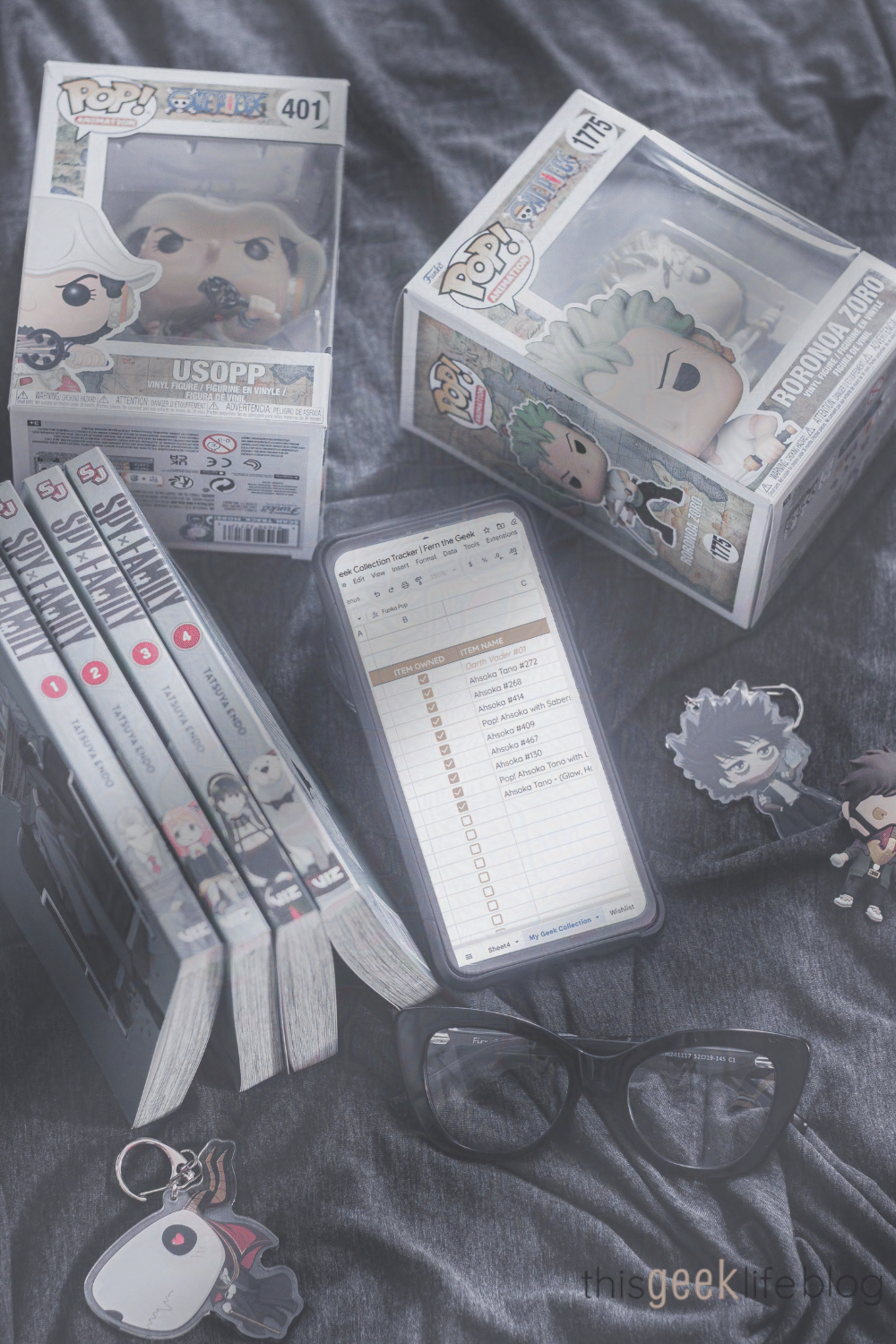
When you receive your Tracker make a copy of the sheet by clicking File > Make a Copy and save it to your Google Drive. You can then open and edit it from your phone, tablet, or desktop any time. Super helpful when you’re at a con or your favorite geek shop and wondering if you already own ‘that one manga chapter.’
How to Use the Printable
When you receive your printable tracker, you can print as many as you need for all the types of fandom collections you have.
The tracker includes:
- Item Name
- Fandom/Franchise
- Item Type (Pop, comic, figure, game, etc.)
- Character or Title
- Condition (new, loose, graded, signed, etc.)
- Location (shelf name, room, storage bin)
- Estimated Value
- Notes (ex: “signed by Ashley Eckstein!”)
- Wish List tab for future grails
Keep Your Fandom Collections Tracker Updated
If you’re anything like me, once you start tracking your fandom collections, you’ll want to add more to it so you can track it.
Is that just me? Am I the weird one?
So anyway (lol), once your collection starts growing, the key is to keep your tracker up to date. No point in having a tracker if you don’t actually complete it. Starting is going to be the challenge – especially if you have a large collection to enter into your chosen tracking system. But once it’s done, I think you’ll find that keeping track of your collectibles becomes much easier.
Here’s what I recommend for you to do to start and each month::
- Set a monthly reminder to update your tracker
- Snap a photo of each new item to store with your tracker
- After cons or geek hauls, log everything before it hits the shelf
TLDR (Too Long Didn’t Read) – Your Collector Toolkit
- Track your collection to avoid duplicates and to know what your collectibles are worth!
- Grab the Google Sheet Tracker and make your own copy
- Prefer paper? Download the printable PDF
- Try some of the apps listed above for next-level tracking
- Update regularly so you always know what you own (and what you still need!)
Now You Tell Me
What’s the most ridiculous thing you’ve bought a duplicate of without realizing it? Or what’s your favorite tool for keeping your fandom collection in check? Drop a comment below or tag me in your collector posts—I’d love to see your geeky inventory in action!
And if you’re like me, you can stalk some aesthetically pleasing geek collections on Pinterest. I have a board for that lol.
Can’t wait to see you in Part Three of this collectors’ series – How to Display Your Collection. Now go track your collections, you geeks!
And don’t forget to share this pin with your geek friends…

No Comments